Night Code Apps
Notelo app icon

Notelo

AI Voice Notes & Memos, version 2.0

Notelo records a thought in one tap, from the app, the Lock Screen, Control Center, the Action button or your Apple Watch. Every recording is transcribed on your iPhone in nine languages, and with Notelo Pro it gets a private summary in four levels, made on device too. There is no account and no server, and a recording is kept even after a crash or an incoming call.

Notelo on iPhone showing the Capture screen with the orange record button

Notelo on iPhone

App Store screenshots for iPhone.

Notelo iPhone screenshot 1Notelo iPhone screenshot 2Notelo iPhone screenshot 3Notelo iPhone screenshot 4Notelo iPhone screenshot 5Notelo iPhone screenshot 6

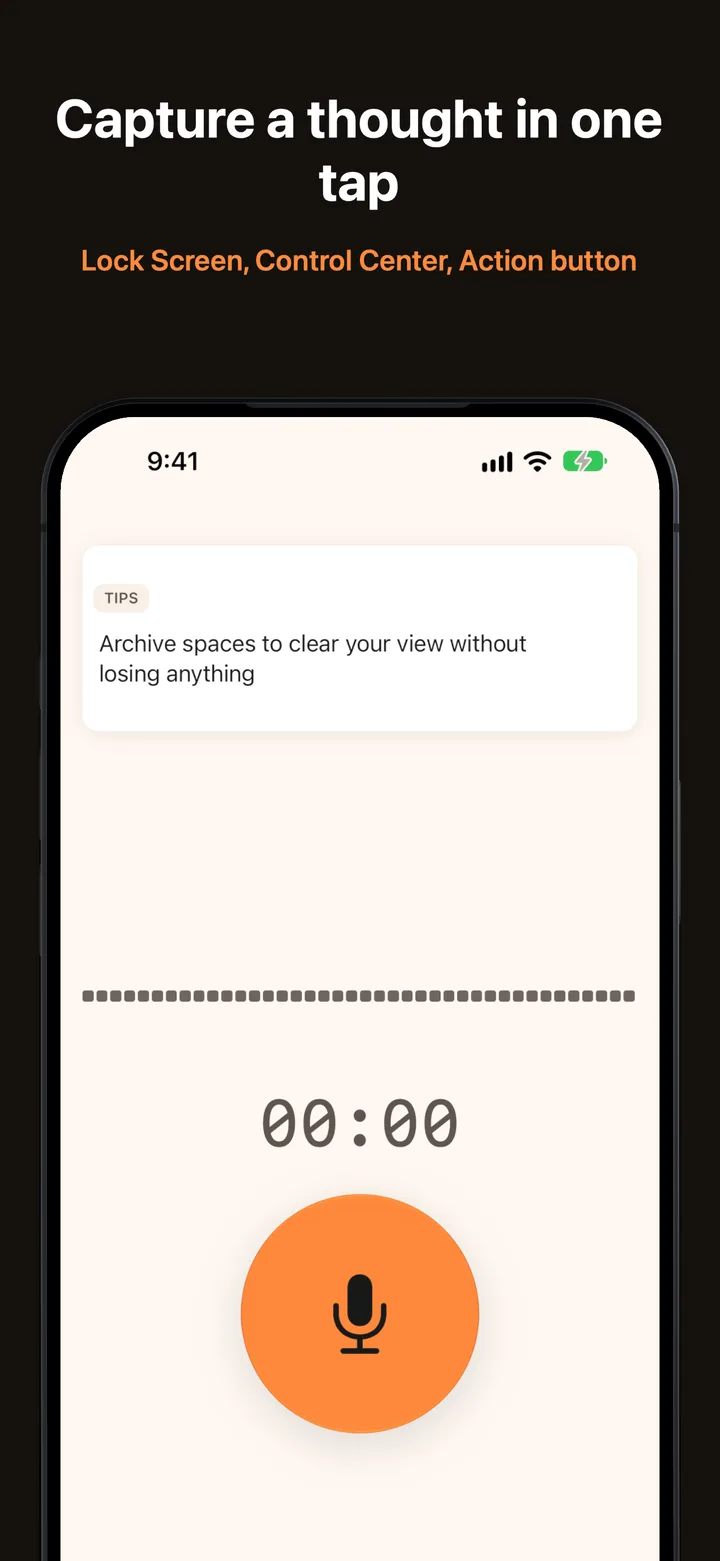
One tap

Capture a thought before it's gone

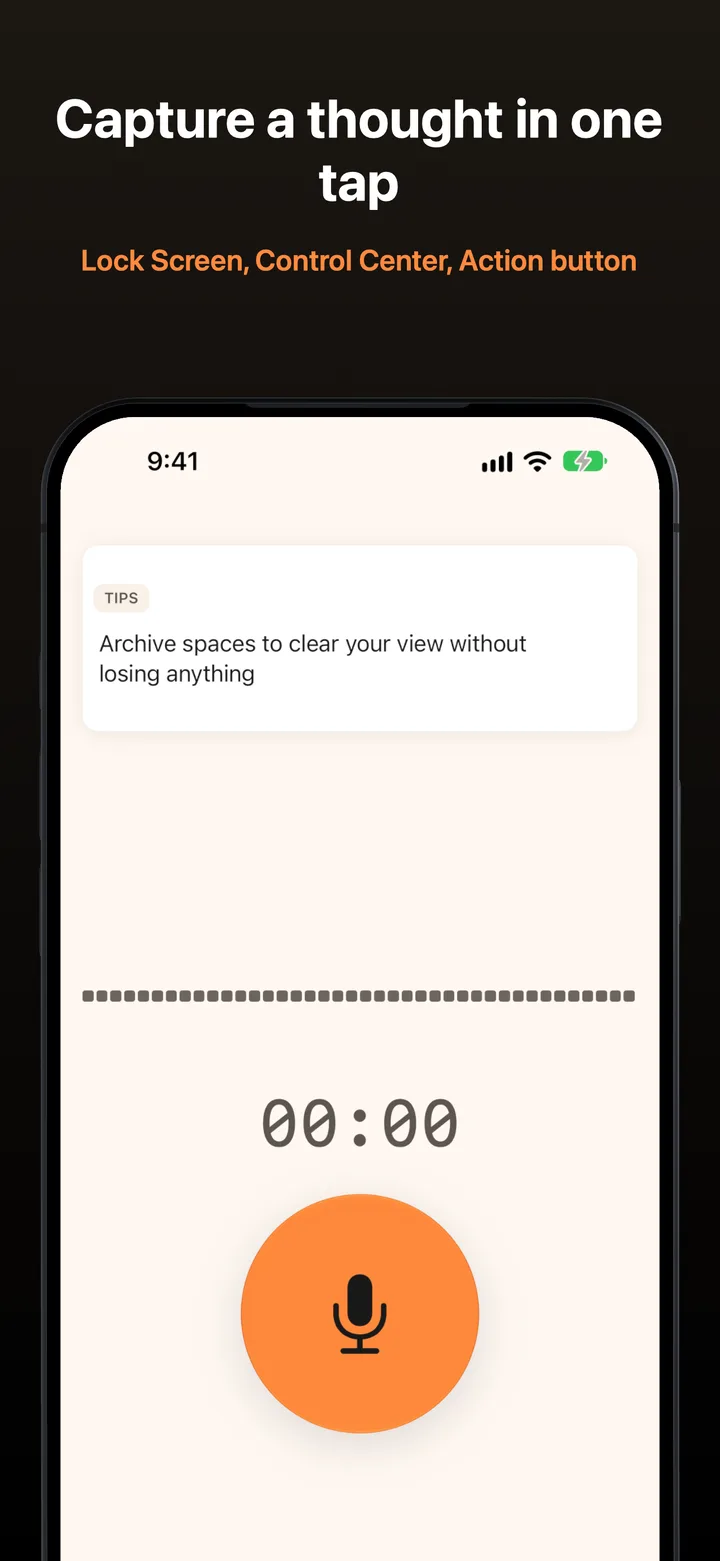
Add the Notelo control to the Lock Screen or Control Center, or put it on the Action button, and one press starts a recording, even with the app closed. If iOS won't let it start quietly, Notelo opens to record or tells you why. It never fails silently.

  • Lock Screen, Control Center and Action button control, free for everyone
  • Siri and Shortcuts, plus a Home Screen widget with a record button (Pro)
  • A Live Activity with a Stop button in the Dynamic Island
  • Up to 30 minutes per recording for free, or 3 hours with Pro
The Notelo Capture screen on iPhone with the record button

Transcripts

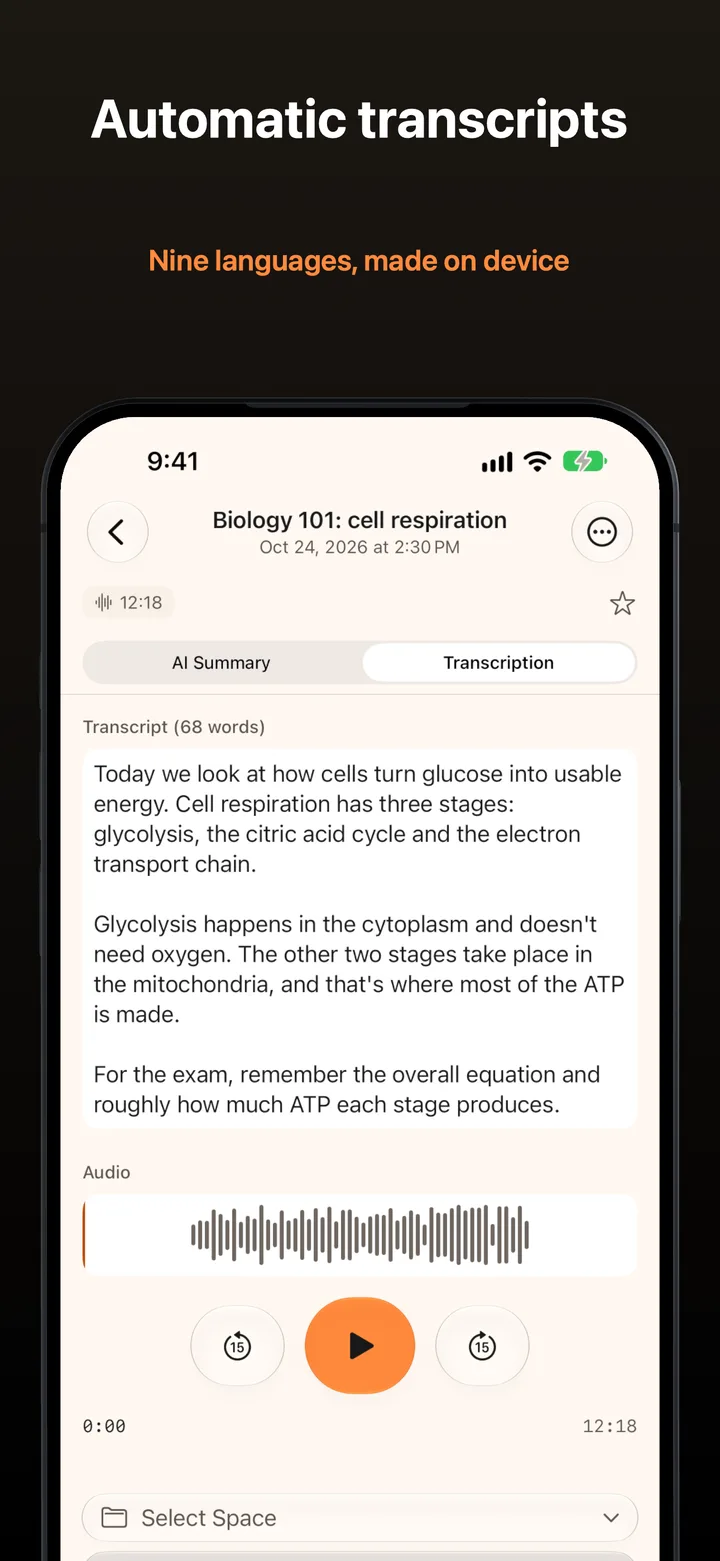
Every word, written on your iPhone

When you stop, Notelo transcribes the recording on device with Apple's speech recognition. Long recordings with pauses come out as one complete transcript, split into paragraphs where you paused. The audio player sits right above it.

  • English, German, Spanish, French, Italian, Japanese, Brazilian Portuguese, and Simplified and Traditional Chinese
  • A clear status when there was no speech or a language model is still downloading
  • Edit a transcript, or retry one that needs another go
A Notelo transcript on iPhone with the audio player

Notelo Pro

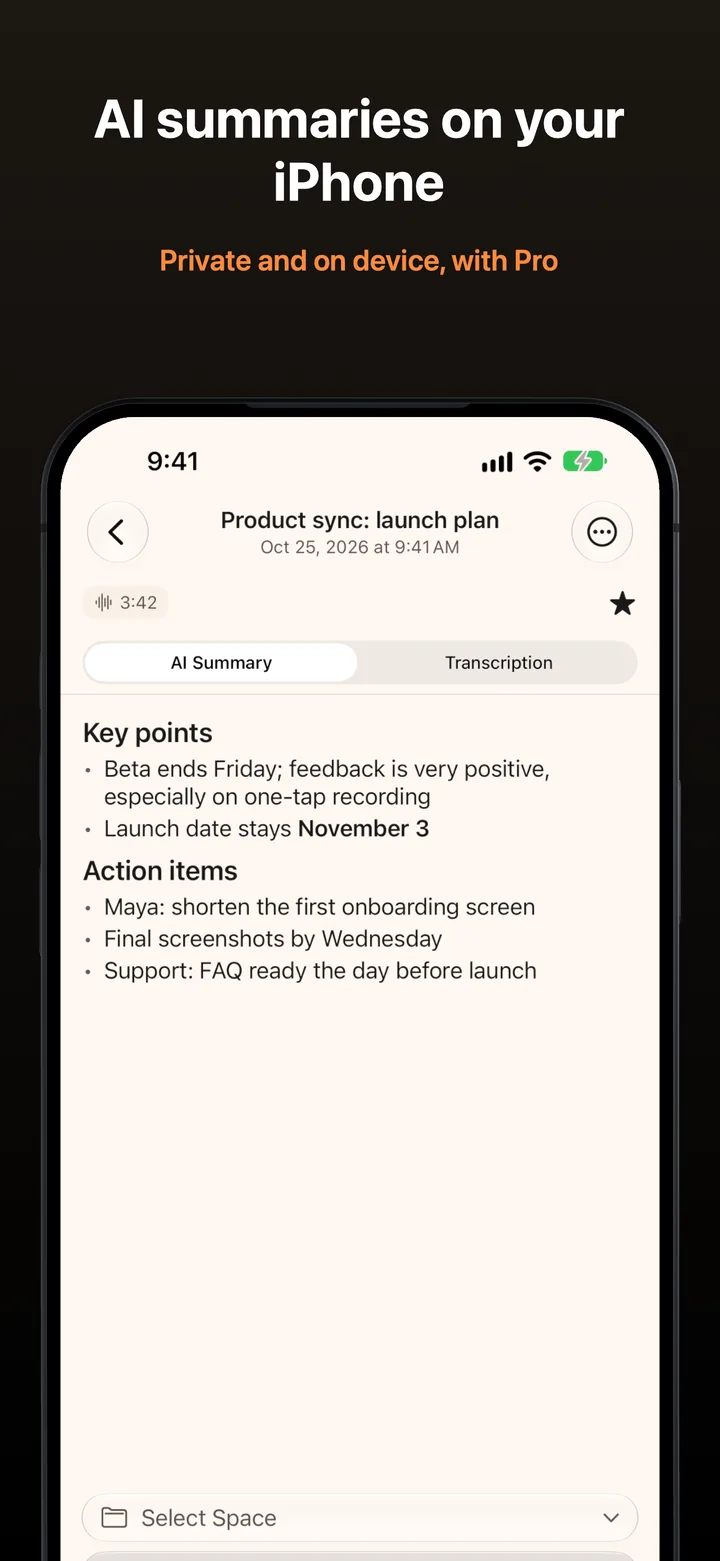
Summaries that stay on your phone

Notelo Pro turns a transcript into a summary with Apple's on-device model, at four levels from brief to research. Long recordings are summarised in parts, and nothing is sent to a server, so there is no monthly limit.

A Notelo AI summary on iPhone with key points and action items

Organize

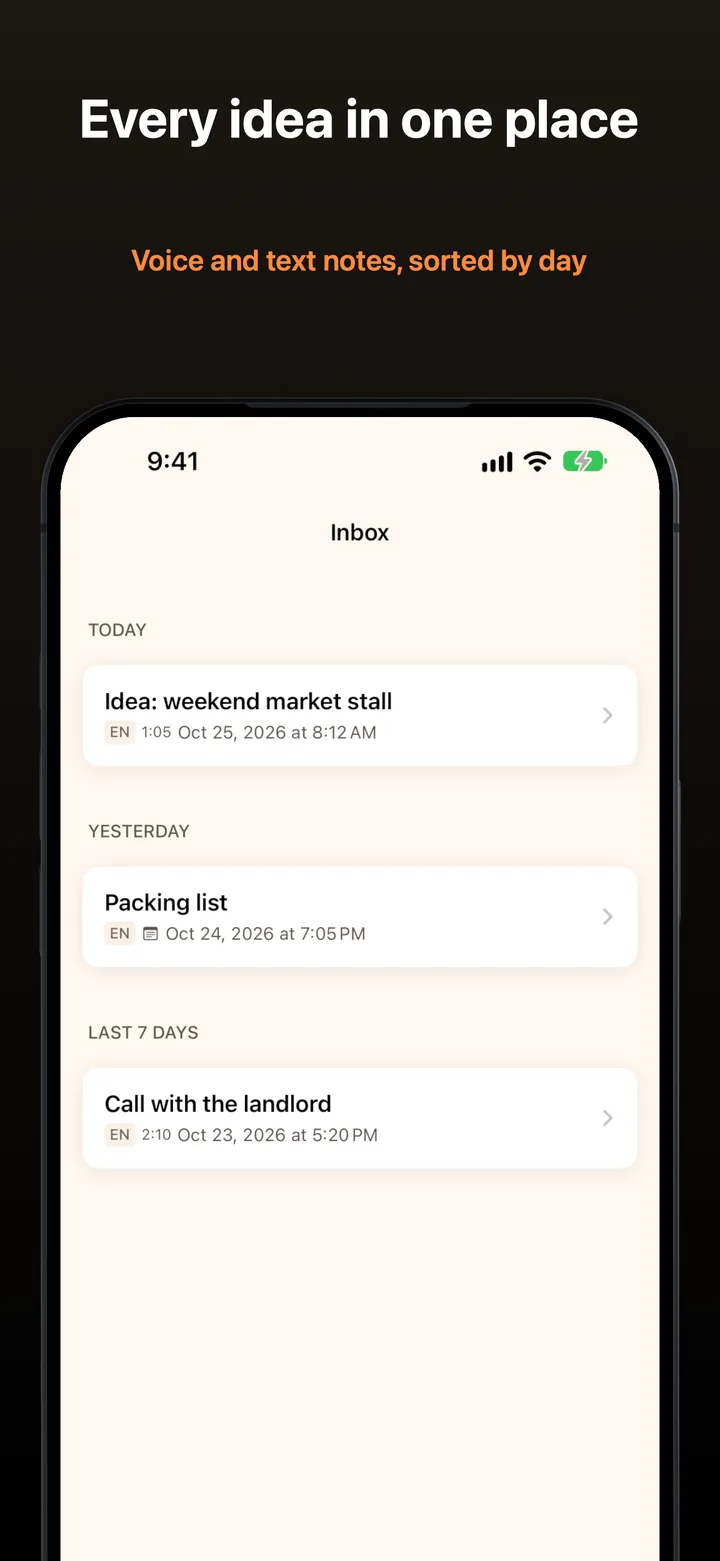
An Inbox for now, Spaces for later

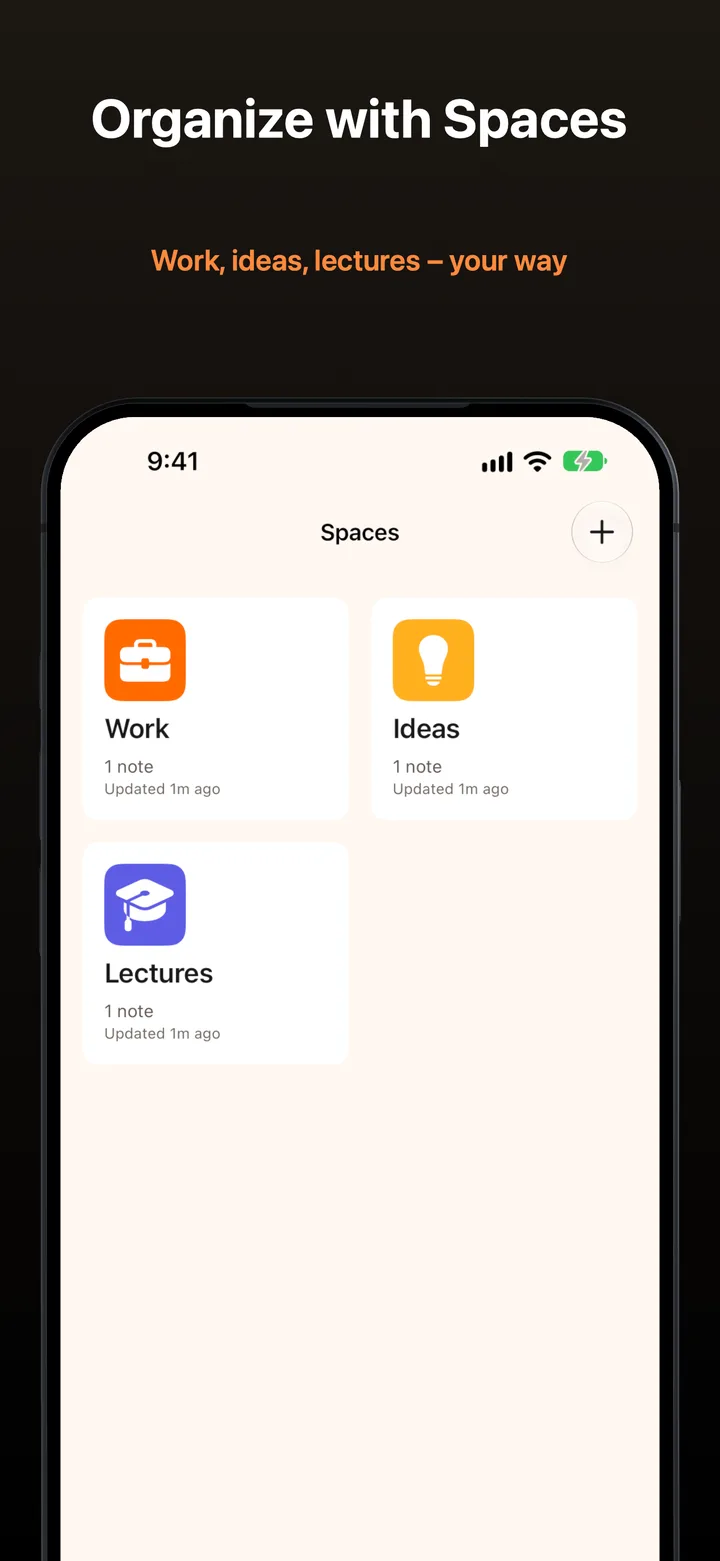
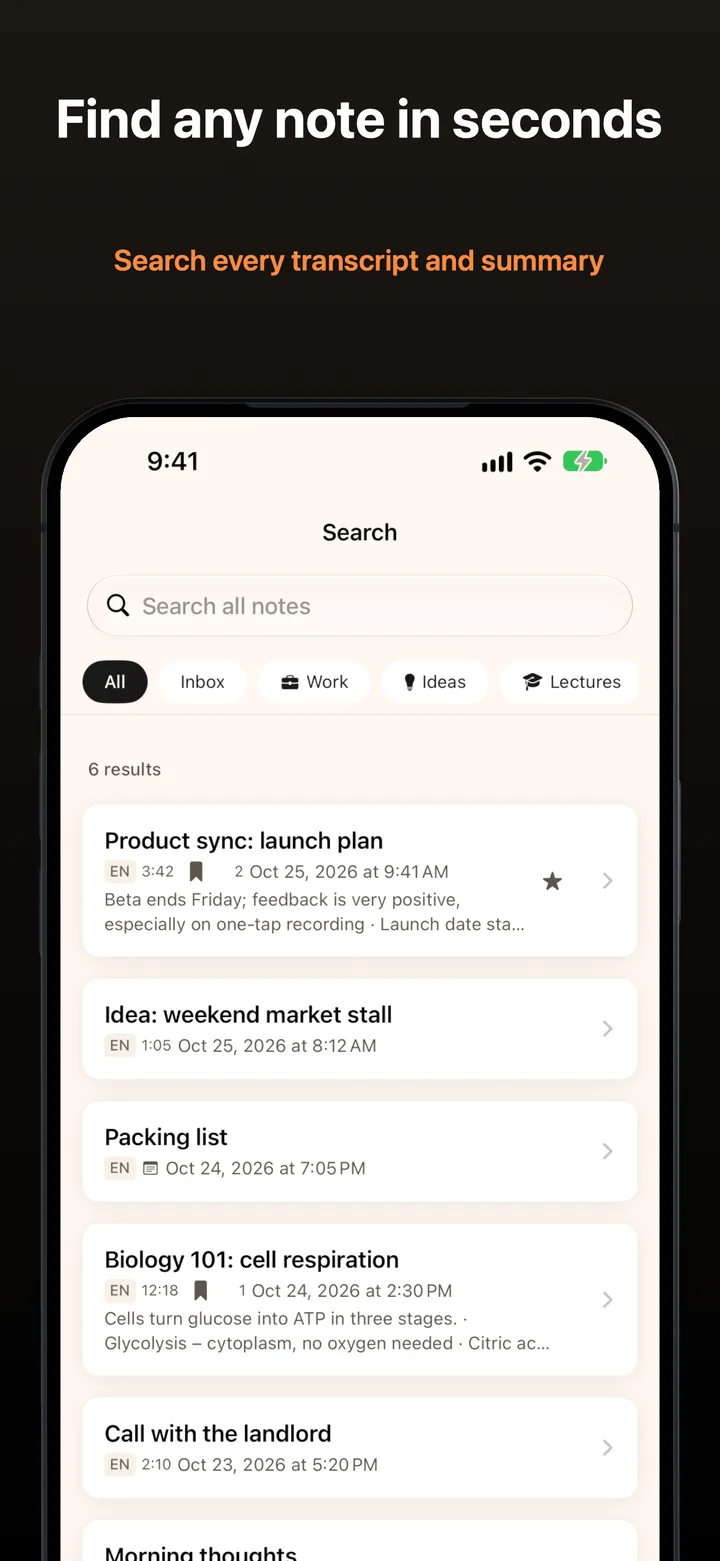
Voice and text notes land in the Inbox, sorted by day. Move them into Spaces for work, ideas or lectures, star the ones you need again, and search every transcript and summary when you can't remember where something went.

Notelo Spaces on iPhone

Everything a voice notes app should do

Fast to start, safe with your audio, and private by design.

One-Tap Recording
Start from the app, the Lock Screen, Control Center, the Action button, Siri or Shortcuts. A live waveform shows it's listening.
Never Lose a Recording
Audio is saved as you speak, so a force-quit, a crash or an incoming call can't take it. It comes back as a recovered note.
Transcripts on Your iPhone
Every recording is transcribed on device, with paragraphs where you paused, in nine languages.
AI Summaries
Brief, standard, detailed or research summaries, made on your iPhone with no monthly limit. With Pro.
Inbox and Spaces
New notes land in the Inbox by day. File them into Spaces with their own icon and colour, then pin or archive.
Search Everything
Find any note by its title, transcript, text or summary, with filters and favorites.
Apple Watch
Record from your wrist or the Smart Stack. Recordings stay on the watch until your iPhone has saved them.
Live Activity
The Dynamic Island and the Lock Screen show the running recording, with a Stop button that works from anywhere.
iCloud Sync
Notes and their audio sync through your own private iCloud database. With Pro.
Trim and Bookmarks
Trim a recording without losing the original, and mark moments with a label to jump back to. With Pro.
Export and Share
Share a note as text, audio, PDF, Markdown, JSON or CSV. Bulk export and summary export come with Pro.
Text Notes and Imports
Type a note when you can't talk, and send audio to Notelo from any app's share sheet, voice messages included.

One app for 2 Apple platforms

One Notelo Pro purchase unlocks on every iPhone signed in to your Apple Account, and on your Apple Watch.

  • iPhone Recording, transcripts, summaries, widgets, Live Activity, Siri and Shortcuts.
  • Apple Watch Record from your wrist, the Smart Stack or the Action button, and send it to your iPhone.

Free to record. Pro when you want more.

Prices are shown in the app and on the App Store in your currency.

Notelo

Free

Recording and transcripts, with no account and no ads.

  • One-tap recording, up to 30 minutes each
  • On-device transcripts in nine languages
  • Inbox, Spaces, search and favorites
  • Apple Watch recording
  • Export a note as text, audio, PDF, Markdown, JSON or CSV

Notelo Pro

Yearly, monthly or lifetime

All three options unlock the same features, and yearly starts with a 7-day free trial.

  • AI summaries in four levels, on device
  • iCloud sync of notes and audio
  • Recordings up to 3 hours
  • Trimming and bookmarks
  • Home Screen widget and Watch complication
  • Audio import, bulk export and summary export

Questions people ask

Is Notelo free?

Yes. Recording, transcripts, the Inbox, Spaces, search, the Apple Watch app and single-note export are free, with recordings up to 30 minutes. Notelo Pro adds AI summaries, iCloud sync, recordings up to 3 hours, trimming, bookmarks, the widget and more, as a yearly subscription with a 7-day free trial, a monthly subscription, or a one-time lifetime purchase.

Where do my recordings and transcripts go?

They stay on your iPhone. Transcription and summaries run on device, Notelo has no server and no account, and with iCloud sync your notes go only to your own private iCloud database.

What happens if the app quits while I'm recording?

Your audio is kept. Notelo writes the recording to disk as you speak, so after a force-quit, a crash or an incoming call it comes back as a "Recovered recording" note and is transcribed like any other.

Which languages can Notelo transcribe?

Nine: English, German, Spanish, French, Italian, Japanese, Brazilian Portuguese, and Simplified and Traditional Chinese. The app itself speaks the same nine.

Do AI summaries work on every iPhone?

Summaries use Apple Intelligence on the device, so they need an iPhone 15 Pro or newer with Apple Intelligence turned on. Recording, transcripts and everything else work on any iPhone that runs Notelo.

How do I start recording without opening the app?

Add the Notelo control to the Lock Screen or Control Center, or choose it for the Action button, and one press records. You can also ask Siri or use Shortcuts. All of these are free.

How does Notelo work on Apple Watch?

Record from the app, the Smart Stack or the Action button, and the recording goes to your iPhone to be transcribed. It stays on the watch until your iPhone has saved it, so nothing is lost if the phone is out of reach.

I had Notelo Light. What do I get now?

Everything in Notelo Pro. Your existing subscription keeps working and unlocks all Pro features.

Get Notelo

Download on the App Store