Collection Tracker, Checklist & Progress, version 1.0
Trovelet is a better spreadsheet for everything you collect. Make a collection for each world or set, from six meal-toy figures to a whole franchise, add the pieces you own and the ones you're missing, and watch the progress fill up. Count your copies, keep spares ready to trade, export to a spreadsheet, and share a collection with a friend by link.
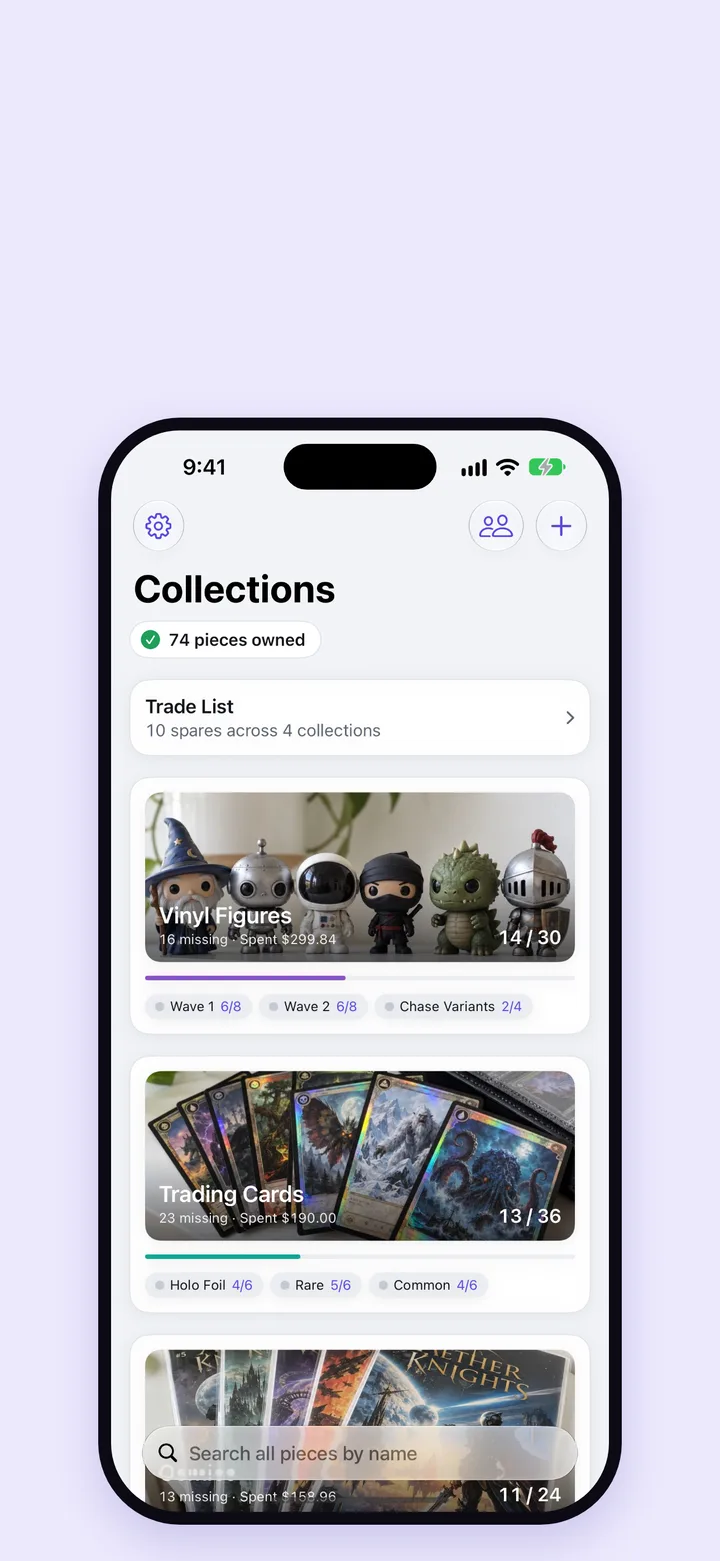
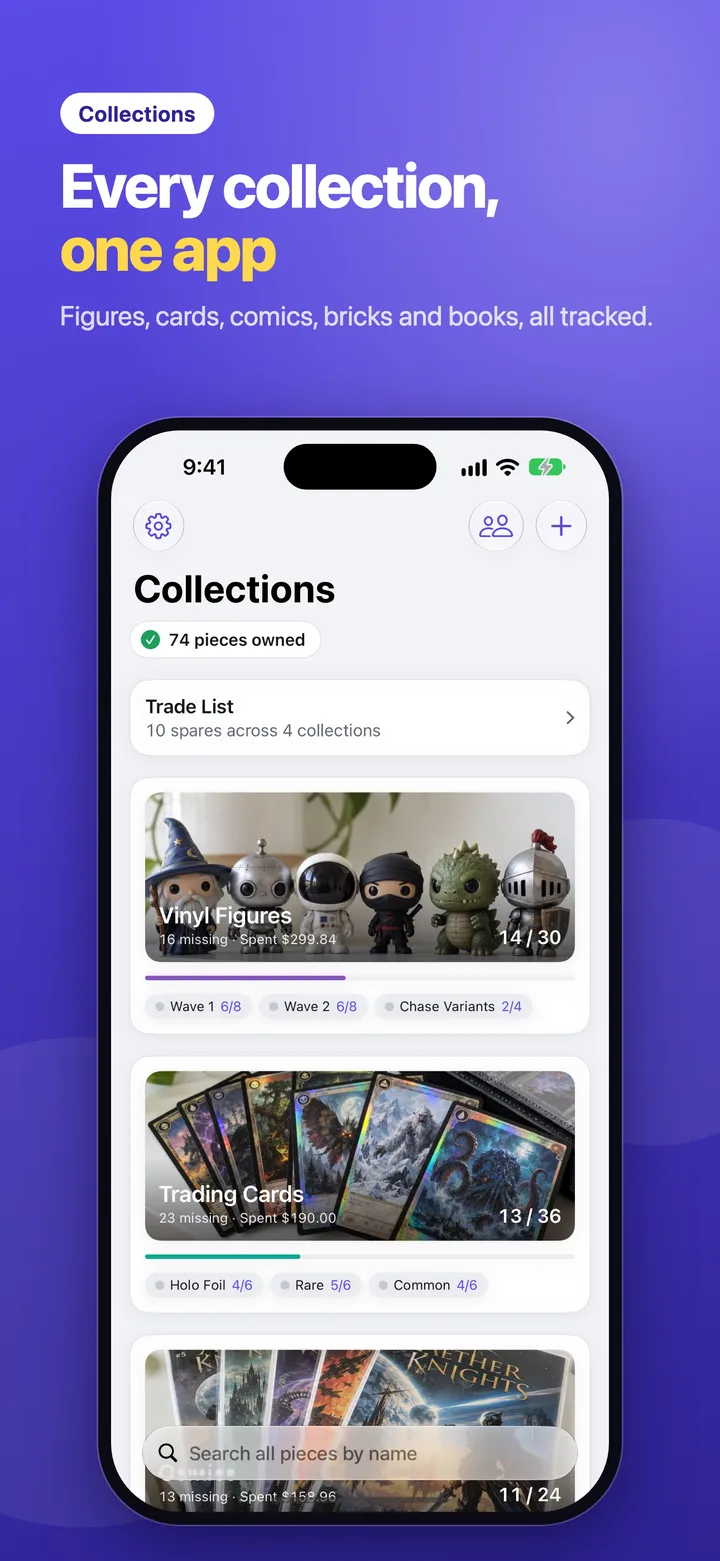
Figures, cards, comics, brick sets and books live side by side. Each collection shows its photo or colour, how many pieces you own, its progress and its first groups, so the home screen tells you where every collection stands.
Pieces owned across all your collections, counted once
Search every piece by name, in every collection
Your Trade List one tap away
Collection
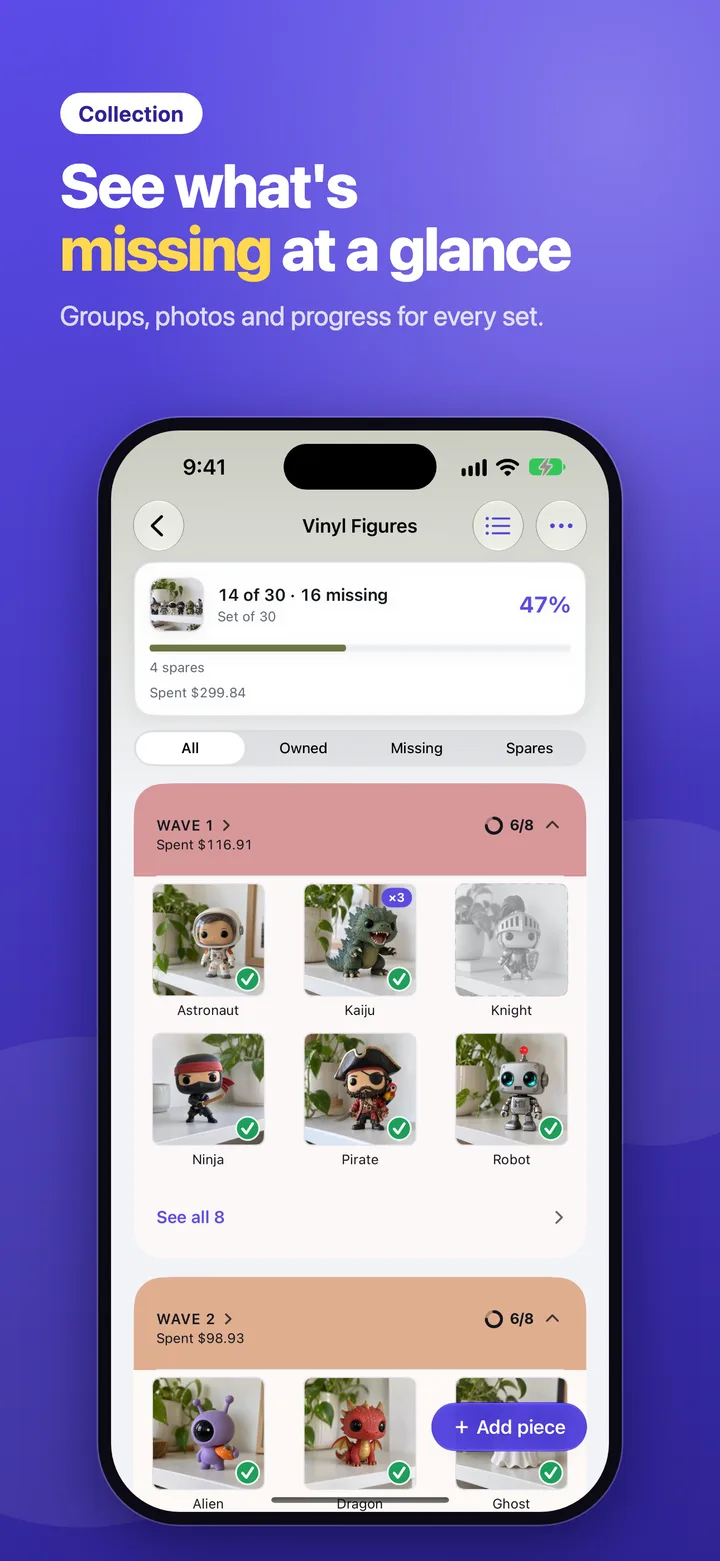
See what's missing at a glance
A collection opens on its progress, then its groups: books, board games, figures, waves or rarities, whatever splits it. Owned pieces show their photo with a check, and missing ones stay grey until you tick them.
Filter to owned, missing or spares
Sort groups by name, most complete, most missing or newest
Each group in its own colour, with a ring that fills as you collect
Progress
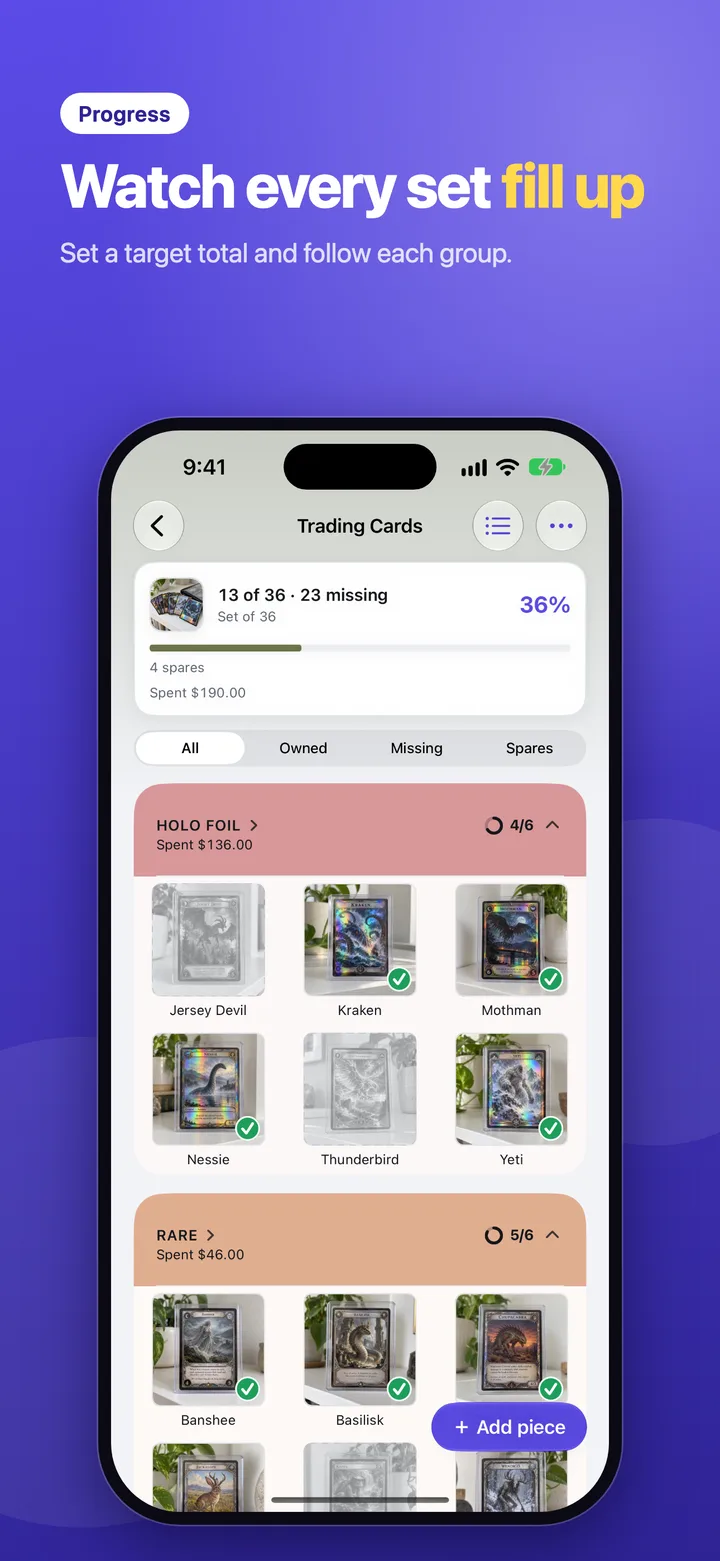
Watch every set fill up
Give a collection a target total, like 151 cards or 6 figures, and Trovelet measures you against the whole set, even pieces you haven't added yet. Leave the total empty for a series that keeps growing.
Piece
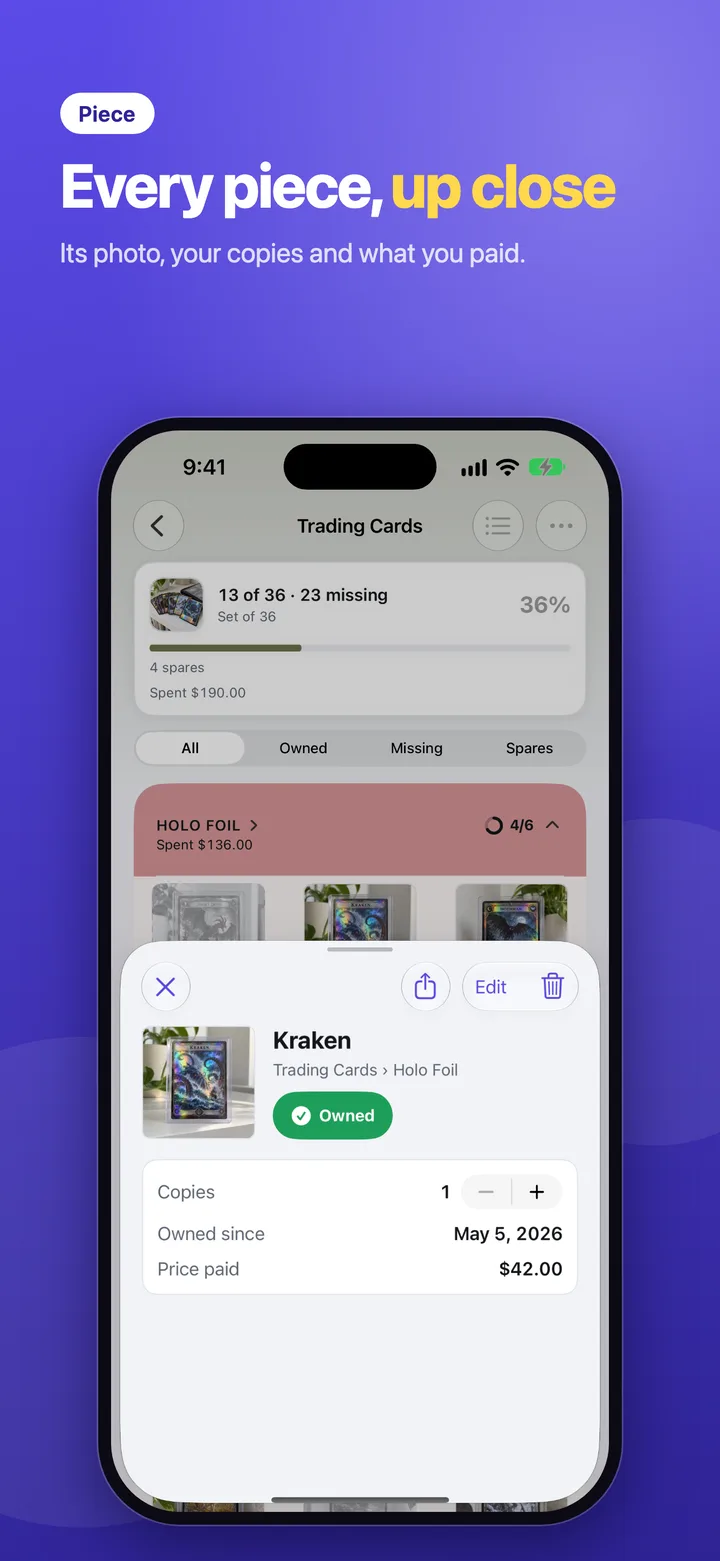
Every piece, up close
Tap a piece to see its photo full screen, mark it owned, and keep the details that matter: how many copies you have, when you got it, what you paid, its release date and a note.
Take a photo or pick one, and Trovelet suggests a name from the text in it
A where-to-buy link that shows while the piece is still missing
Share a piece with its photo to any app
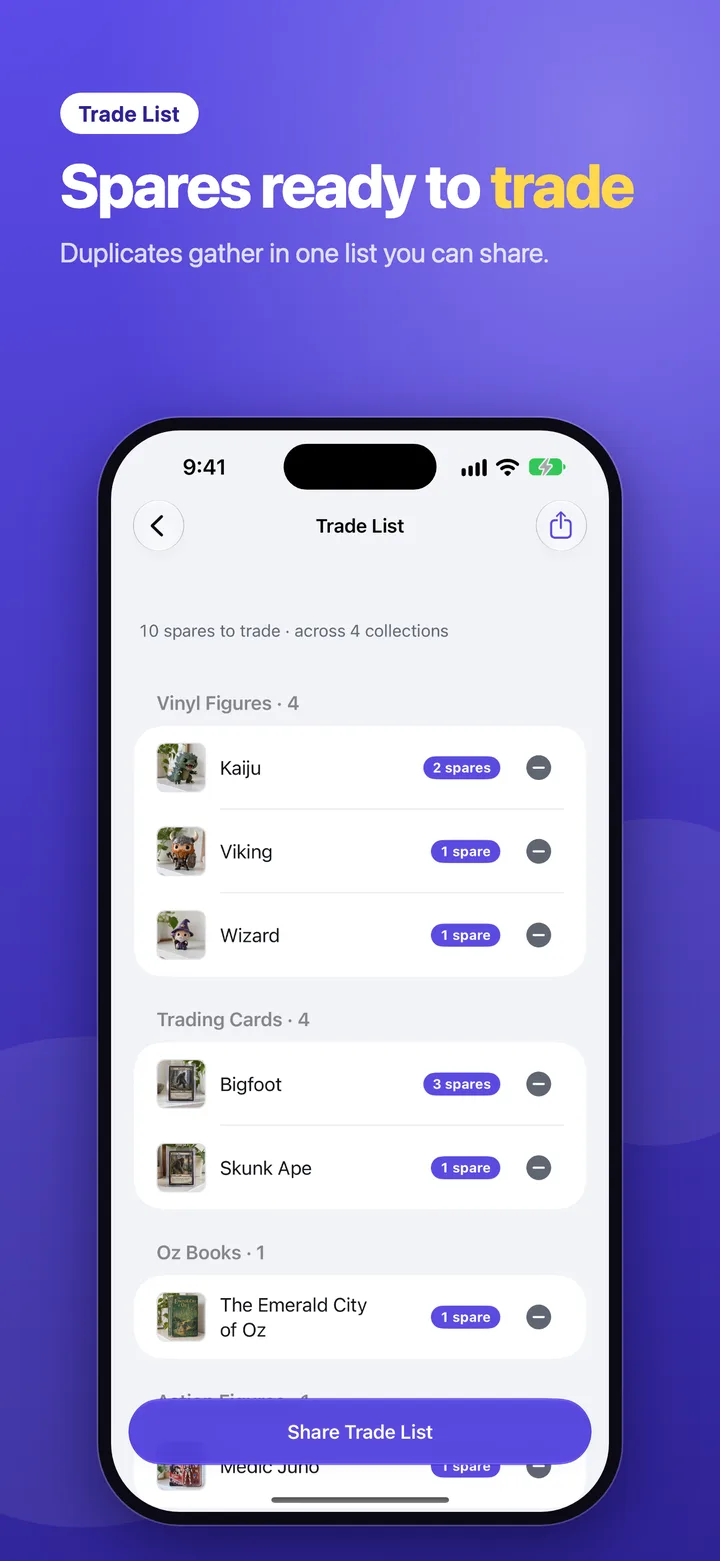
Trade List
Spares ready to trade
Every copy beyond the first is a spare. Trovelet gathers spares from all your collections into one list, grouped by collection, and shares it as plain text for a swap meet or a group chat.
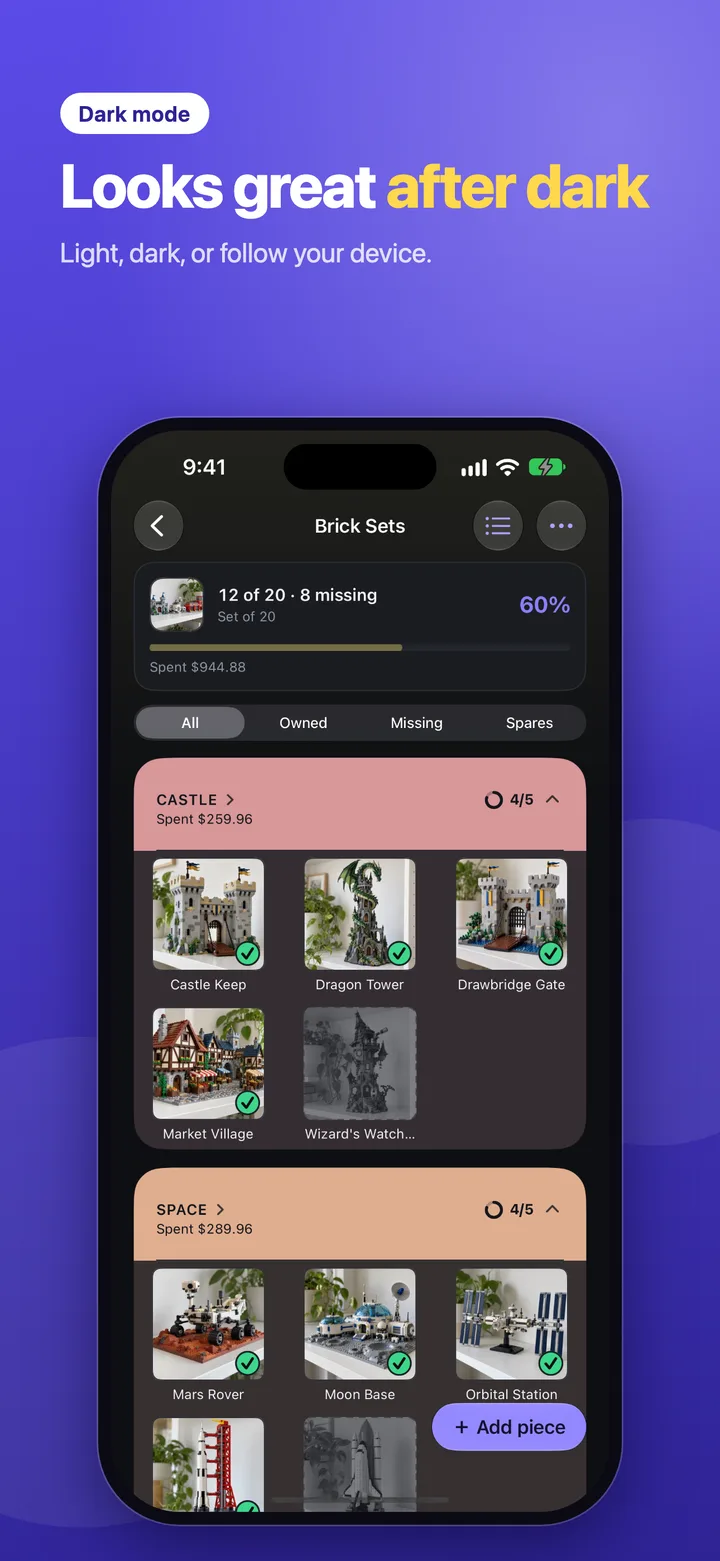
Dark mode
Looks great after dark
Trovelet follows your device, or stays light or dark if you prefer. Group colours soften into pastels that stay readable in both, and a collection takes its tint from its own photo.
Everything a collection spreadsheet should do
Built for sets you finish and series that keep growing, without a single formula.
Collections and groups
One collection per world or set, split into groups like books, board games, figures or waves. Give each a photo or a colour.
Target totals
Set how many pieces a set has, or leave it open. Progress is always what you own against the whole set.
Owned and missing
Tick a piece the moment you get it. Missing pieces stay on the list, so you always know what to look for.
Copies and spares
Count up to 999 copies of a piece. Everything beyond the first lands in your Trade List.
Photo name suggestions
Photograph the box or card and Trovelet reads its text on your device, offering up to five names to pick from.
What you spent
Record what you paid for each piece, and every collection and group totals what you've spent on the pieces you own.
Share a collection with a link
Friends open a read-only copy in Trovelet, no account needed. Prices, notes and dates stay private.
Spreadsheet export
Export one collection or all of them as a CSV that opens in Numbers, Excel or Google Sheets.
iCloud sync
With Pro, your collections stay in step across your iPhone and iPad through your own private iCloud.
Private by design
No account, no ads, no tracking. Your collections live on your device, and only what you share leaves it.
One app for 2 Apple platforms
Buy Trovelet Pro once and it unlocks on every device signed in to your Apple Account.
iPhoneEvery collection, the Trade List, the camera for new pieces and sharing, in light and dark.
iPadThe same collections on a bigger screen, with more pieces in every row.
Free to collect. Pro when you collect more.
Prices are shown in the app and on the App Store in your currency.
Trovelet
Free
Everything you need for a few collections, with no account and no ads.
3 collections, with 2 groups each
Copies, spares and the Trade List
Photo name suggestions
Collection sharing and spreadsheet export
Spent totals for every collection and group
Trovelet Pro
Yearly, monthly or lifetime
All three options unlock the same features, and yearly starts with a 7-day free trial.
Unlimited collections and groups
iCloud sync across iPhone and iPad
Questions people ask
What can I track with Trovelet?
Any set you collect: vinyl figures, trading cards, comics, books, brick sets, action figures, meal-promotion toys. You add the pieces yourself, so it works as well for a fixed set of 6 as for a series that keeps growing.
Does Trovelet come with catalogs of sets?
No. You enter the pieces you care about, and a photo of the box or card can suggest the name. That keeps Trovelet working for anything, including sets no database lists.
How is progress worked out?
Pieces you own, divided by the collection's target total, or by the number of pieces in the collection if that's larger or you haven't set a total. Each piece counts once, however many copies you have.
What's a spare?
Any copy of an owned piece beyond the first. If you own 3 of a figure, 2 are spares. Spares from every collection gather in the Trade List, which you can share as text.
Is Trovelet free?
Yes. You get 3 collections with 2 groups each, copies and the Trade List, photo name suggestions, sharing, spreadsheet export and Spent totals for free. Trovelet Pro adds unlimited collections and groups and iCloud sync, as a yearly subscription with a 7-day free trial, a monthly subscription, or a one-time lifetime purchase.
What happens to my collection if Pro ends?
Nothing is deleted. You keep every collection and group, and sync pauses until you renew. You just can't add collections or groups past the free limits.
What does a friend see when I share a collection?
A read-only copy of the collection, its groups, pieces and photos, and which pieces you own, as they were when you shared it. Prices, notes, store links, copy counts and the dates you added or got pieces are never shared. Deleting the link stops anyone new from opening it, though copies friends already saved stay on their devices.
Do my friends need Trovelet or an iCloud account to open a shared collection?
They need Trovelet to open it, but not an iCloud account. You need to be signed in to iCloud to share one. Collections you receive don't count toward the free limits.
Can I get my collection into a spreadsheet?
Yes, for free. Export one collection from its menu, or every collection from Settings, as a CSV with the collection, group, name, owned status, copies, spares, price paid, currency, note and dates.
Can I import a list from Excel?
Not yet. Bulk entry, including pasting a list and importing a spreadsheet, is planned after version 1. For now you add pieces one at a time.
Does the photo name suggestion send my photos anywhere?
No. The text is read on your device with Apple's Vision framework. Nothing is uploaded, and the recognised text isn't stored. Trovelet only fills the name when you tap a suggestion.
Where is my data stored?
On your device. With Pro, it syncs through your own private iCloud database, which we can't see. There is no account, no tracking and no ads. The privacy policy explains the details, including collection sharing.
 Night Code Apps